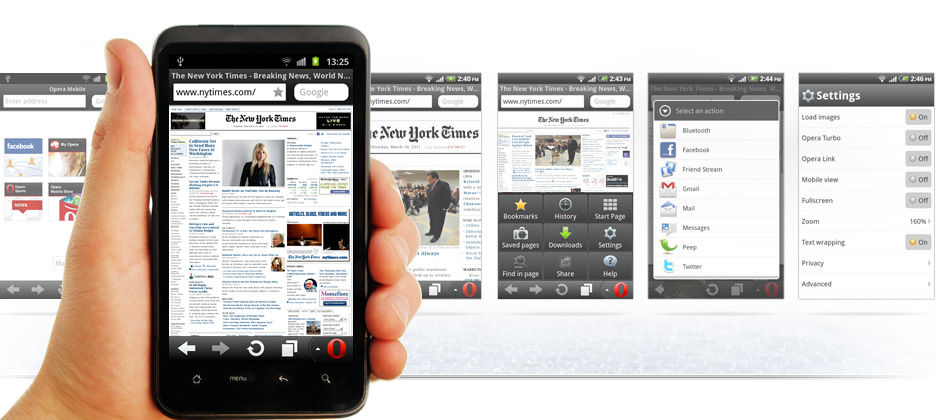
Many people searching for how i can run a mobile browser on pc ? . I think one of the main reason of this is slow speed of your internet connection. Here Opera mobile emulator is one of the best solution for this. To download click here

Figure 1: The Opera Mobile Emulator running on Mac.
Making sure that your site looks great and works exactly as it should in mobile and tablet browsers can often be a tedious process — you typically need one or more physical devices, or some form of virtual machine emulating the whole operating system, and that’s just the start.
Our Opera Mobile Emulator for Windows, Linux and Mac makes things a whole lot easier.
It’s a small, native application that’s easy to install on your desktop machine and runs exactly the same code as its mobile phone version — so you can be assured that what you’re seeing on your test environment is practically identical to the experience your end users will get.
The launcher
When you first open the Opera Mobile Emulator, you’re presented with the launcher app — see Figure 2. This launcher allows you to create different instances of Opera Mobile on your desktop to accurately test different phone configurations, as seen in Figure 3. Here we will discuss the different options available in the launcher.
Profiles
The launcher comes preconfigured with a series of popular phone and tablet device profiles, such as theSEMC Xperia Ray, Samsung Galaxy Tab 10.1 and the Nokia E63. You can then start an Opera Mobile instance using the selected profile by clicking on the Launch button.
If you want to create a new profile, select the Custom option from the profile list and set the relevant options forResolution, Pixel Density, Input and Arguments. When you're all set, select the Add button under the profile selection box, choose a name for the new profile, and save it to the list. Note that you can also tweak existing profiles via the Update button appearing below the selected profile, or delete them using the Remove button.

Figure 2: The Opera Mobile Emulator’s launcher.
Screen resolution
Mobile phones and tablets come in varying shapes and sizes. The screen resolution can be changed by choosing between the different options in the Resolution dropdown menu. You can also create your own custom resolutions using the Add button, and delete the existing ones using the Remove button.
Pixel density
In the same manner as screen resolution, you can choose the pixel density — which primarily affects Opera Mobile's default zoom factor — using the dropdown menu in the Pixel Density section. As above, you can select options from the menu, add your own custom ones, and remove options as you see fit.
Input
The Input section of the launcher contains a dropdown menu with three options to choose from: Touch, Keypad andTablet. The Touch option will give you our touchscreen phone UI, whereas choosing Keypad will result in our UI for phones with only keypad input. The Tablet option enables Opera Mobile’s tablet-optimized touch UI. To learn more about the differences between these modes, see the input mode section below.